









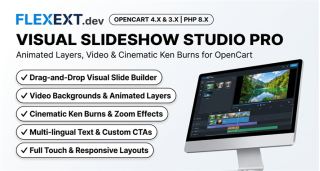

Featured Extension: Explore the official Visual Slideshow Studio Pro module, fully tested for OpenCart 4.x and 3.x.
Your store's hero slider is the very first visual impression visitors experience when landing on your homepage. In default OpenCart, basic banner carousels frequently trigger severe Cumulative Layout Shift (CLS) penalties, lack layer animation, and display squished images on mobile phones. Discover how Cinematic Visual Slideshow Studio Pro delivers jaw-dropping visuals while maintaining perfect Google Core Web Vitals scores.
1. The Problem with Standard Sliders: CLS & High Bounce Rates
Default sliders load without predetermined aspect ratio reserves. As high-resolution images download asynchronously, the entire page content abruptly jumps downward, driving Google PageSpeed scores into the red zone and creating visual frustration for mobile users.
Moreover, static flat images require re-exporting text in Photoshop whenever a price changes or when translating into multiple languages.
2. Tailoring Hero Banners to Merchant Needs
Video Backgrounds for Brand Authority
Embed lightweight MP4 or WebM video background loops showcasing products in action, paired with high-contrast text overlays and interactive CTA buttons.
Multi-Lingual Global Promotions
Separate graphic backgrounds from text layers so marketing copy, headings, and buttons automatically render in the shopper's chosen language.
3. Comparison: Default OpenCart Carousel vs FlexExt Visual Slideshow Studio
| Capability | Default Banner Carousel | FlexExt Visual Slideshow Studio Pro |
|---|---|---|
| Layout Shift (CLS) | High CLS due to unconstrained height | Zero CLS with aspect-ratio container reservation |
| Animation Effects | Basic horizontal slide | Cinematic Ken Burns, smooth pan & zoom, fade, 3D cube |
| Layering & Typography | Text must be baked into raster image | Multi-layer animated HTML headings, badges & CTAs |
| Video Support | Images only | Self-hosted MP4/WebM, YouTube & Vimeo video backgrounds |
| Touch Gestures | Limited touch swipe support | Hardware-accelerated mobile touch swipe & drag |
4. Best Practices for High-Converting Sliders
- Keep Slide Counts Between 3 and 5: Usability studies show that 80% of interactions occur on the first two slides. Avoid excessive slide counts that dilute user attention.
- Maintain Accessible Contrast: Utilize subtle dark gradient overlays on background images to ensure white text remains readable across all devices and screen brightness levels.
- Use Preloaded Next-Gen Image Formats: Serve WebP or optimized AVIF formats to keep slide payload under 150KB.
Related Technical Guides & OpenCart Architecture
Frequently Asked Questions & Technical Insights
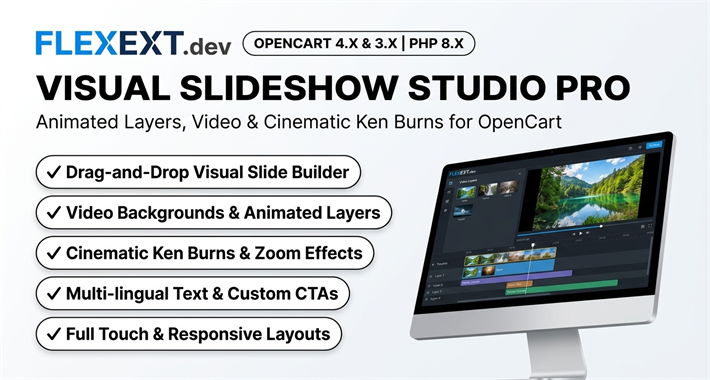
Visual Slideshow Studio Pro
High-performance OpenCart 4 and 3 extension. Lifetime updates & priority technical support.
- Zero Cumulative Layout Shift (CLS) architecture guaranteeing 100 Core Web Vitals
- Cinematic Ken Burns panning, smooth parallax, and animated typography layers
- MP4/WebM video backgrounds with lazy loading and fallback images
- Touch-swipe gestures with hardware-accelerated CSS transitions