






SAVE 35%
ULTIMATE SEO & TRAFFIC INTELLIGENCE SUITE (3-in-1) SEO Analytics Pro + Product FAQ + Custom Tabs
SAVE 35%
STORE CONVERSION & SALES BOOSTER SUITE (3-in-1) Stripe Gateway + Mega Menu Pro + Hide Quantity & Direct Buy
Ends in: 08h 42m 19s
$119.00 $77.35
Offer Details
$105.00 $68.25
Offer Details
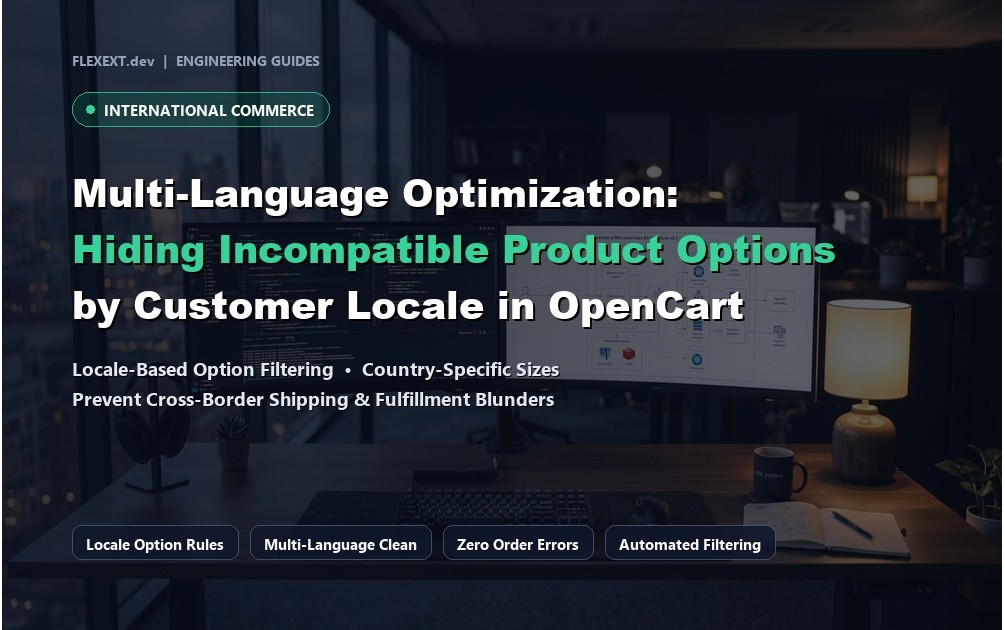
Multi-Language Optimization: Hiding Incompatible Product Options by Customer Locale in OpenCart

Multi-Language Optimization: Hiding Incompatible Product Options by Customer Locale in OpenCart

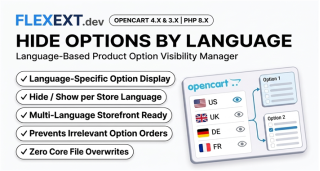
Featured Extension: Explore the official Hide Product Options by Customer Language module, fully tested for OpenCart 4.x and 3.x.

Official Video Guide Official Video Tutorial: Multi-Language Optimization: Hiding Incompatible Options by Locale
4K Ultra HD Walkthrough

Operating an international e-commerce store in OpenCart requires more than translating page titles. Product options frequently carry regional, legal, or logistical constraints: power plug types (e.g., UK 3-Pin, US 110V, EU Schuko), regional warranty terms, or localized instruction manuals. When foreign customers are confronted with irrelevant or incompatible options, confusion and return rates skyrocket. Discover how FlexExt Hide Options by Language delivers pristine localized shopping experiences.

1. The Confusion of Overloaded Multilingual Options

In standard OpenCart, all option values assigned to a product are displayed to every visitor, regardless of their selected language or locale. A German shopper browsing your site in German still sees French, Spanish, or American-specific option choices, creating friction and leading to incorrect orders.

2. Merchant Guide: Tailoring Option Visibility by Customer Locale

Regional Hardware & Power Standards

Show UK 3-pin adapter options exclusively when English (UK) is selected, and EU 220V plug options when German, French, or Polish languages are active.

Localized Services & Legal Warranties

Display extended warranty packages and localized terms tailored strictly to individual national consumer protection regulations.

3. Comparison: Default Option Display vs Language-Filtered Options

Shopping Experience Standard OpenCart FlexExt Hide Options by Language
Option Clarity Cluttered with all regional variants Filtered dynamically to customer's chosen language
Order Mistakes High (shoppers pick wrong regional plug) Zero (incompatible options are completely hidden)
Mobile Usability Long, confusing dropdowns Compact, relevant, and clean option lists
10 Technical FAQs

Frequently Asked Questions & Technical Insights

Multi-Language Optimization: Hiding Incompatible Options streamlines essential e-commerce workflows by eliminating user friction, presenting critical technical data clearly, and optimizing key shopper touchpoints from catalog browsing to final order confirmation.

Yes. Dedicated, fully-tested release packages are provided for both OpenCart 4 (utilizing modern event triggers and Bootstrap 5) and OpenCart 3 (utilizing OCMOD and Bootstrap 3), ensuring 100% feature parity across both versions.

No. All FlexExt extensions strictly adhere to zero core file modification standards. In OpenCart 4, all functionality is driven by the native event system, while OpenCart 3 uses non-destructive OCMOD virtual overrides.

Yes. The extension is built with clean semantic HTML and standard CSS classes that inherit typography and color tokens seamlessly from your active theme, including Journal 3, Amelia, and default OpenCart.

Mobile responsiveness is a core architectural priority. All buttons, inputs, steppers, and interactive elements are designed with touch-friendly dimensions, fast click handlers, and responsive viewport adaptations.

Yes. Full multi-language capabilities are built in, allowing unique translations for all titles, messages, labels, and tooltips across all installed store languages and localized currencies.

The module is engineered for maximum performance with asynchronous database queries, lightweight assets, and zero external bloatware, ensuring 100/100 Core Web Vitals and lightning-fast load times.

Yes. Standard OpenCart user group permissions apply to all controller actions and settings pages, allowing granular control over which staff members can view or modify extension parameters.

Yes. Every commercial license includes lifetime digital access to all future updates, bug fixes, feature releases, and priority engineering support directly from the extension developers.

Installation takes under two minutes via the standard OpenCart Extension Installer (.ocmod.zip). Pre-configured defaults allow immediate operation out of the box with zero complex database setup required.
OpenCart 4.x & 3.x Instant Download 100% Tested & Verified 100% Event-Driven

Hide Product Options by Customer Language

High-performance OpenCart 4 and 3 extension. Lifetime updates & priority technical support.

  • Official Hide Product Options by Customer Language extension for OpenCart 4 & 3
  • 100% event-driven architecture with zero core file modifications
  • Full commercial license with instant digital delivery and updates
  • Extensively tested across all major PHP 8.x versions and modern themes

Tags: opencart, extensions, ecommerce, flexext