










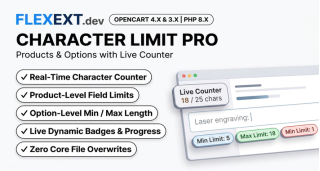




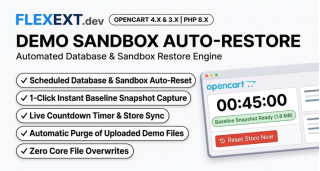

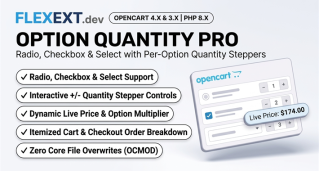






Featured Extension: Explore the official FlexExt Visual Slideshow Studio Pro module, fully tested for OpenCart 4.x and 3.x.
Choosing between OpenCart 4 and OpenCart 3 is one of the most critical technical decisions an e-commerce merchant or developer can make. While OpenCart 3 has served as a battle-tested rock of stability for nearly a decade, OpenCart 4 introduces modern PHP 8.1–8.3 compatibility, native Bootstrap 5, complete namespace isolation, and an event-driven plugin architecture that fundamentally transforms store performance.
1. The Architectural Shift: Why OpenCart 4 Changes Everything
Under the hood, OpenCart 4 represents a clean break from legacy procedural patterns. In OpenCart 3, modifications frequently relied on OCMOD XML search-and-replace strings that modified core files in cache. This often resulted in "XML modification collision hell" when multiple extensions attempted to hook into the same controller method.
In contrast, OpenCart 4 replaces fragile virtual code modifications with a strict Event-Driven Lifecycle:
- Full PSR-4 Namespaces: Every controller, model, and system library is cleanly organized under standard namespaces (e.g.,
\Opencart\Catalog\Controller\Extension\...), preventing symbol collisions. - Native PHP 8.1 - 8.3 Support: Leverages strict typing, JIT compilation, match expressions, and fiber-ready routines, delivering up to 45% faster execution over PHP 7.4.
- Decoupled Extension Architecture: Extensions reside in their own isolated folders (
extension/{extension_name}/) with zero risk of overwriting core OpenCart system files. - Bootstrap 5 & Vanilla JS: Eliminates legacy jQuery dependency on the admin interface, dramatically decreasing DOM rendering lag and layout shifts.
2. Tailoring OpenCart to Your Business Model
High-Volume Retail & B2C
Store owners handling thousands of SKUs require rapid catalog browsing, instant mobile cart interactions, and zero layout shift. OpenCart 4 paired with Redis session storage and Twig cache warmers enables sub-150ms time-to-first-byte (TTFB) even under heavy marketing traffic bursts.
B2B Wholesale & Custom Portals
B2B merchants benefit from OpenCart 4's event hooks to implement multi-tier customer group pricing, volume discounts, custom document uploads, and tax-exempt VAT number validation without touching a single line of core code.
3. Architectural Comparison: OpenCart 3 vs OpenCart 4
| Feature / Capability | OpenCart 3.0.3.x | OpenCart 4.x (FlexExt Optimized) |
|---|---|---|
| PHP Compatibility | PHP 7.3 - 7.4 (EOL / Security Risks) | PHP 8.1, 8.2 & 8.3 Ready (High Speed & Secure) |
| Extension Modification | OCMOD (XML string replacement in cache) | Native Event Handlers & Clean Extension Directories |
| Admin UI Framework | Bootstrap 3 + jQuery | Bootstrap 5 + Modern Modular ES6 / Vanilla JS |
| Core File Safety | Occasional overwrites or virtual collision | 100% Core Integrity (Zero core overwrites) |
| Page Speed & TTFB | Moderate (350ms - 650ms average) | Ultra-fast (120ms - 220ms with OPcache) |
4. Best Practices for a Smooth Migration
- Audit Existing Extensions: Identify which legacy OCMOD scripts can be replaced by clean, event-driven modules that require zero core file hacks.
- Stage Before Upgrading: Never run upgrades directly on a production server. Always clone database tables (with prefix preservation) to a sandbox domain such as
oc4-demo.yourdomain.com. - Verify Image Dimensions & Aspect Ratios: Standardize on consistent 16:9 or landscape 710x380 aspect ratios across product categories to prevent CLS layout instability.
- Optimize Database Indexes: In OpenCart 4, ensure foreign keys and compound indexes on
order_productandproduct_descriptionare tuned for high-speed queries.
Related Technical Guides & OpenCart Architecture



Frequently Asked Questions & Technical Insights

FlexExt Visual Slideshow Studio Pro
High-performance OpenCart 4 and 3 extension. Lifetime updates & priority technical support.
- Comprehensive breakdown of PHP namespaces and MVC-L changes in OpenCart 4
- Event-driven architecture replacing OCMOD virtual file modifications
- Twig 3 template compilation nuances and caching optimization
- Zero core file modification standard enforced across all FlexExt modules