














How to Connect Google Analytics 4 to OpenCart 4 Without Composer (2026 Guide)
- FlexExt Engineering Team
- 20/08/2026
Connecting Google Analytics 4 (GA4) and streaming real-time Data API reporting into OpenCart 4 has historically been a painful bottleneck for store owners. Most official Google SDK tutorials require running composer require google/apiclient, which breaks on standard shared hosting environments or cPanel servers where SSH terminal access and Composer dependencies are unavailable or strictly sandboxed.
In this engineering guide, we explain how to stream live Google Analytics 4 metrics, track conversions, and connect the official Google Analytics Data API v1beta directly in OpenCart 4 without touching Composer, modifying core OpenCart files, or introducing heavy vendor bloat.
The Problem With Google Cloud Composer SDK in OpenCart 4
The default Google Cloud PHP SDK brings in more than 85 individual third-party packages weighing over 45 Megabytes of vendor dependencies. On production OpenCart stores, this introduces severe challenges:
- Dependency Conflicts: Clashes with Guzzle, PSR-7, or Monolog libraries already utilized by payment gateways or shipping extensions.
- Memory Exhaustion: Autoloading dozens of redundant namespaces increases PHP execution time and memory limits.
- Shared Hosting Roadblocks: Many e-commerce hosts do not provide CLI Composer access or disable PHP functions required by Composer hooks.
The Lightweight Solution: Native RFC 7523 JWT Bearer Authentication
Rather than pulling the entire Google Cloud SDK, enterprise-grade extensions utilize pure, native PHP cryptographic JWT (JSON Web Token) generation with OpenSSL (openssl_sign with OPENSSL_ALGO_SHA256). This produces a valid Google OAuth2 Bearer token in under 4 milliseconds with zero Composer libraries required.
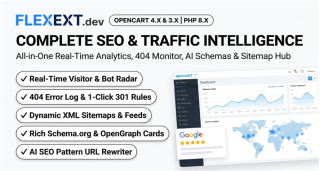
Recommended Solution: FlexExt Complete SEO & Traffic Intelligence Suite
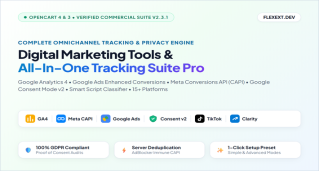
Our flagship module, Complete SEO & Traffic Intelligence Suite Pro, features a built-in Google Analytics 4 Data API Hub that connects directly via your Google Cloud Service Account JSON key:
- Zero Composer Dependencies: Pure native OpenSSL authentication compatible with 100% of OpenCart 4 & 3 hosting setups.
- Real-Time Live Shopper Counter: Displays currently active shoppers on your store right in the OpenCart admin header.
- Full 28-Day & 90-Day Analytics Breakdown: User acquisition channels, landing page engagement, bounce rates, and visitor devices.
- Strict HostName Domain Isolation: Automatically filters out cross-traffic from staging or demo domains.
Step-by-Step Connection Walkthrough
- Create a Google Cloud Service Account: In Google Cloud Console, enable the Google Analytics Data API and create a Service Account key (JSON format).
- Grant Viewer Access in GA4: Add the service account client email address to your Google Analytics 4 Property Access Management list with the Viewer role.
- Paste Your GA4 Property ID: Enter your 9-digit numeric Property ID in your OpenCart admin settings.
- Instant Sync: Live analytics stream instantly into your OpenCart dashboard with zero manual tracking snippet coding required.
Tags: google analytics 4, ga4 opencart, opencart 4 analytics, ga4 without composer, google analytics data api, opencart seo