


















SAVE 35%
ULTIMATE SEO & TRAFFIC INTELLIGENCE SUITE (3-in-1) SEO Analytics Pro + Product FAQ + Custom Tabs
SAVE 35%
STORE CONVERSION & SALES BOOSTER SUITE (3-in-1) Stripe Gateway + Mega Menu Pro + Hide Quantity & Direct Buy
Ends in: 08h 42m 19s
$119.00 $77.35
Offer Details
$105.00 $68.25
Offer Details
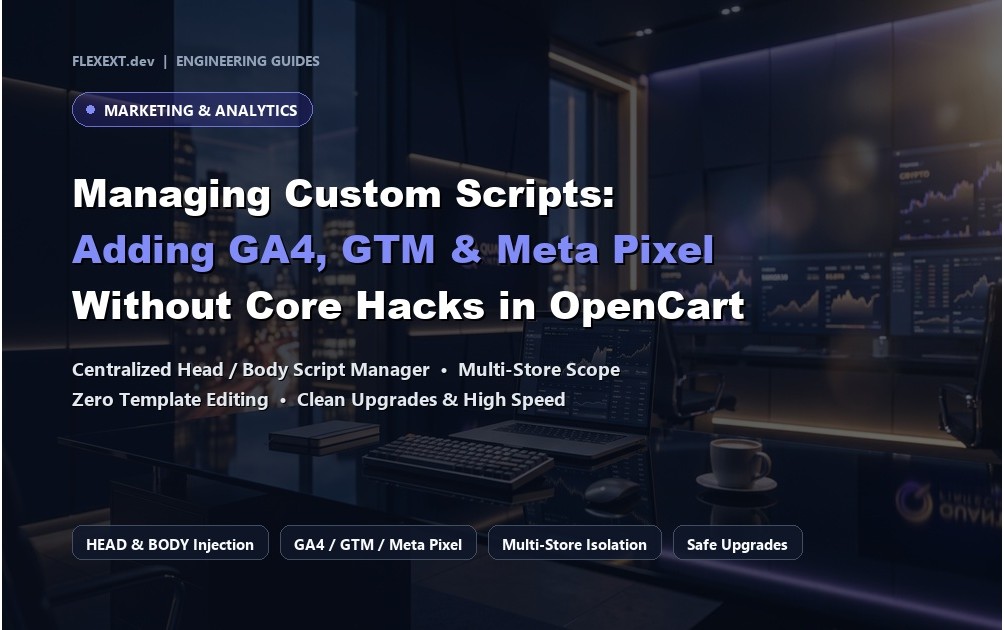
Managing Custom Tracking Scripts: Adding GA4, GTM & Meta Pixel Without Core Template Modifications in OpenCart

Managing Custom Tracking Scripts: Adding GA4, GTM & Meta Pixel Without Core Template Modifications in OpenCart

Featured Extension: Explore the official Custom Code & Tracking Analytics Manager module, fully tested for OpenCart 4.x and 3.x.

Official Video Guide Official Video Tutorial: Managing Custom Tracking Scripts (GA4, GTM, Meta Pixel) in OpenCart
4K Ultra HD Walkthrough

Every modern e-commerce store relies on third-party marketing and analytics tags: Google Analytics 4 (GA4), Google Tag Manager (GTM), Meta Pixel, TikTok Pixel, Hotjar, or live chat widgets. In default OpenCart, adding these scripts usually requires manually editing template files like header.twig or footer.twig, which get wiped out during theme updates. Discover how FlexExt Custom Code Pro manages tracking tags cleanly.

1. The Dangers of Hardcoding Scripts into Theme Files

Direct file edits risk syntax errors that can bring down your entire storefront. Furthermore, tracking scripts often need to execute at precise locations: inside the <head>, immediately after <body> (required by GTM noscript), or before </body> for deferment.

2. Clean Event-Driven Script Injection

FlexExt Custom Code Pro injects your custom CSS, JavaScript, and HTML tags using OpenCart's native event triggers:

  • Target Specific Routes: Only fire high-value conversion tracking scripts on checkout/success without bloating category browsing pages.
  • Device Targeting: Conditionally load mobile-specific chat widgets while serving lightweight desktop layouts.
  • Built-In Code Editor: Features syntax highlighting, line numbers, and error validation to prevent broken tags.

3. Comparison: Manual Theme Editing vs FlexExt Custom Code

Management Task Manual File Editing FlexExt Custom Code Pro
Theme Updates Scripts overwritten & lost 100% Preserved (Stored safely in database)
Execution Positions Rigid header / footer files Head Top, Head Bottom, Body Top, Body Bottom
Conditional Routing Requires complex PHP hacking Point-and-click route selection (e.g. checkout only)
10 Technical FAQs

Frequently Asked Questions & Technical Insights

Managing Custom Tracking Scripts (GA4, GTM, Meta) streamlines essential e-commerce workflows by eliminating user friction, presenting critical technical data clearly, and optimizing key shopper touchpoints from catalog browsing to final order confirmation.

Yes. Dedicated, fully-tested release packages are provided for both OpenCart 4 (utilizing modern event triggers and Bootstrap 5) and OpenCart 3 (utilizing OCMOD and Bootstrap 3), ensuring 100% feature parity across both versions.

No. All FlexExt extensions strictly adhere to zero core file modification standards. In OpenCart 4, all functionality is driven by the native event system, while OpenCart 3 uses non-destructive OCMOD virtual overrides.

Yes. The extension is built with clean semantic HTML and standard CSS classes that inherit typography and color tokens seamlessly from your active theme, including Journal 3, Amelia, and default OpenCart.

Mobile responsiveness is a core architectural priority. All buttons, inputs, steppers, and interactive elements are designed with touch-friendly dimensions, fast click handlers, and responsive viewport adaptations.

Yes. Full multi-language capabilities are built in, allowing unique translations for all titles, messages, labels, and tooltips across all installed store languages and localized currencies.

The module is engineered for maximum performance with asynchronous database queries, lightweight assets, and zero external bloatware, ensuring 100/100 Core Web Vitals and lightning-fast load times.

Yes. Standard OpenCart user group permissions apply to all controller actions and settings pages, allowing granular control over which staff members can view or modify extension parameters.

Yes. Every commercial license includes lifetime digital access to all future updates, bug fixes, feature releases, and priority engineering support directly from the extension developers.

Installation takes under two minutes via the standard OpenCart Extension Installer (.ocmod.zip). Pre-configured defaults allow immediate operation out of the box with zero complex database setup required.
OpenCart 4.x & 3.x Instant Download 100% Tested & Verified 100% Event-Driven

Custom Code & Tracking Analytics Manager

High-performance OpenCart 4 and 3 extension. Lifetime updates & priority technical support.

  • Official Custom Code & Tracking Analytics Manager extension for OpenCart 4 & 3
  • 100% event-driven architecture with zero core file modifications
  • Full commercial license with instant digital delivery and updates
  • Extensively tested across all major PHP 8.x versions and modern themes

Tags: opencart, extensions, ecommerce, flexext