SAVE 35%
ULTIMATE SEO & TRAFFIC INTELLIGENCE SUITE (3-in-1) SEO Analytics Pro + Product FAQ + Custom Tabs
SAVE 35%
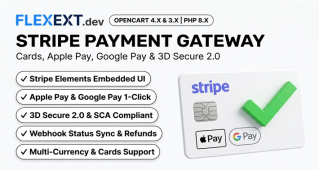
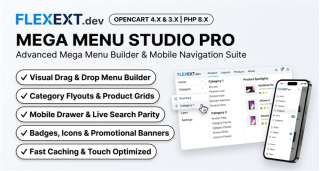
STORE CONVERSION & SALES BOOSTER SUITE (3-in-1) Stripe Gateway + Mega Menu Pro + Hide Quantity & Direct Buy
SAVE 25%
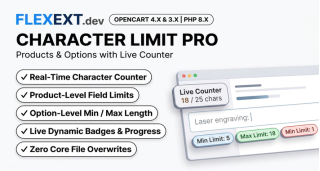
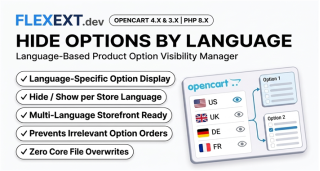
PRODUCT OPTIONS & CUSTOM FIELDS POWER SUITE (4-in-1) Option Tooltips + Multilingual Defaults + Hide by Language + Character Limit Pro
Ends in: 08h 42m 19s
$119.00 $77.35
Offer Details
$105.00 $68.25
Offer Details
$100.00 $75.00
Offer Details
Featured Product

Business Card Studio Pro & Web-to-Print Suite with Dynamic QR vCard & Print Station

Product Code: FLX-BCARD-STUDIO-PRO • Availability: In Stock

Key Highlights & Features
Premium Quality Guaranteed
Fast & Secure Delivery
100% Encrypted Checkout
24/7 Dedicated Support
$69.00
$55.00
Best Price & Quality Guarantee

Available Options

Live Interactive Demo Admin: demo / demo

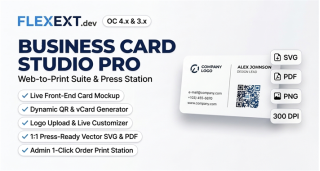
FlexExt Business Card Studio Pro & Web-to-Print Suite is the ultimate turnkey personalized printing solution for OpenCart 4 and OpenCart 3. Turn your store into a professional digital print-shop with a real-time reactive storefront business card preview, customer logo & photo uploader, interactive color & font styling customizer, built-in dynamic vCard QR code generator, and an automated admin 1-Click Order Print Station with 1:1 Press-Ready Vector SVG (with trim box and bleed marks), 300 DPI High-Resolution PNG, Press-Ready PDF, and printable invoice integration.

Business Card Studio Pro Web-to-Print Suite
Complete Web-to-Print Engine

Turn Any OpenCart Product into a Live Personalized Business Card Station

No complicated drag-and-drop canvas confusion for customers! Buyers simply fill in standard product option text fields (Name, Job Title, Organization, Phone, Email, Website, Address) and upload their corporate logo. The storefront photorealistic business card preview updates in real-time keystroke-by-keystroke. Print technicians download 1:1 press-ready vector and 300 DPI raster files directly from OpenCart admin order details in 1 click!

Live Storefront Card Preview

Keystroke-by-keystroke photorealistic business card mockup rendered directly on the product page so customers see exactly what will be printed.

Customer Logo & Photo Upload

Customers upload brand logos or portrait photos with live instant placement, smart aspect-ratio preservation, and corporate monogram fallbacks.

Interactive Styling Customizer

Buyers can toggle card background colors, custom name & title accent colors, underline dividers, and adjust typography size sliders in real-time.

Dynamic vCard QR Integration

Auto-generates a scannable vCard QR code with high error correction (ECC Level M/H), vertically centered on the card for instant contact saving.

Admin 1-Click Order Print Station

Instant admin downloads: 1:1 Vector SVG (85x55mm with trim & crop marks), 300 DPI Press PNG (2100x1200), and 1-Click Press PDF.

Invoice & Packing Slip Printout

The complete high-resolution business card preview is automatically embedded into printable order invoices and shipping pick lists.

Professional Web-to-Print vs Generic Designers

Zero Monthly SaaS Fees

Unlike SaaS solutions (PitchPrint, Zakeke) costing $350 to $1,800 every year, FlexExt is a one-time purchase running 100% on your server with zero subscriptions.

Production Press Standards

Exports are engineered specifically for commercial prepress: standard ISO 85x55mm aspect ratio, 3mm bleed margin guides, corner crop marks, and 300 DPI rasterization.

Documentation & Installation Guide

Installation is 100% automated via OpenCart Extension Installer (.ocmod.zip). Zero core files are modified.

  1. Navigate to Extensions > Installer in your OpenCart Admin.
  2. Upload the matching .ocmod.zip package for your OpenCart version.
  3. Go to Extensions > Modifications / Extensions and enable the module.
  4. Configure your product option keywords (Name, Title, Org, Phone, Email, Address) in the module settings.
  5. Enter your commercial license key to activate instant automatic updates.
v1.5.1 Official Release
  • Admin Interactive Simulator Restructuring & Live Studio Pro Layout: Re-architected admin settings layout into balanced side-by-side columns with Typography and Colors Customizer positioned directly under the Live Simulator. Added layout switcher (Classic vs Executive Modern Split), side view toggle (Front, Back, Both Two-Sided), office branch auto-population, and direct office address input.
  • Storefront OpenCart 3 OCMOD Cache & Dynamic Parameter Fix: Injected full layout, two-sided artwork, and office branch options into the OC3 modification pipeline, ensuring Executive Split and branch selectors render seamlessly on OC3 product pages.
  • Admin Order Details Corporate Brand & Branch Persistence: Order details now prioritize corporate default business card logo (module_flexext_qr_code_bc_default_logo) before store logo, with company name and street address auto-populated from branch offices on card face.
  • Symmetrical 300 DPI PDF Export with Crop Marks & Bleed Alignment: Standardized 1050x600 @ 300 DPI front and back canvases with symmetrical crop marks and trim border, plus an on-the-fly checkbox toggle.
v1.5.0 Official Release
  • Two-Sided Business Card Architecture (twoside_status & back_image): Live customizable front side paired with static corporate back card artwork. Interactive flip card animation and stacked preview toggle on product page customizer. Full support in admin order details print station (sale/order_info) with back card artwork preview and dimensions.
  • Standalone 2-Page Press-Ready PDF Export: Native PDF-1.4 dual-page binary compiler (createBusinessCardPdfBlob) exporting Page 1 (Front @ 300 DPI) and Page 2 (Corporate Back @ 300 DPI) directly from both admin order print station and admin simulator.
  • Prepopulated Office Locations & Phone Numbers Dropdown (locations_status & locations_data): Storefront branch office selector dropdown auto-populating physical street address and office phone numbers directly onto the card face and matching product option inputs. Admin configuration with multi-line branch manager and 1-click sample data loader.
  • Executive Split Layout Template (layout_template = 'executive_split'): Dedicated modern corporate split card layout with Employee Name, Title, and accent divider on top-left, Corporate/Division Logo on top-right, Office & Mobile phones on bottom-left, and dynamic vCard QR code on bottom-right with "ADD TO CONTACTS" tag.
  • Corporate Back Artwork Manager: Dedicated image manager in admin panel for selecting corporate back card artwork with responsive preview.
  • Complete Backward Compatibility: All new features default to disabled / classic single-sided layout, preserving existing customer setups 100%.
v1.4.6 Official Release
  • OpenCart 3 Duplicate License Input Resolution: Removed redundant <input id="input-license-key"> from Tab Settings that shadowed the interactive input in Tab License, eliminating the "Please enter a valid commercial license key" alert on activation.
  • Enhanced AJAX License Activation: Added instant visual status updates, trimming, and Enter key trigger on #input-license-key.
  • Domain & Key Normalization: Automatically strips leading www. from store domains and strips invisible zero-width spaces/line breaks when pasting keys from email.
  • Hardened Telemetry Fallback: Added CURLOPT_SSL_VERIFYHOST = 0 fallback and increased timeout for restrictive server environments.
v1.4.5 Official Release
  • Corporate Brand Logo Selection in Admin Panel: Added dedicated corporate default business card logo setting (module_flexext_qr_code_bc_default_logo) in the admin panel with OpenCart's native Image Manager (data-oc-toggle="image") and responsive thumbnail preview. Automatically loads and positions the corporate logo into the business card live mockup, vector SVG, and 300 DPI print-ready exports as the baseline corporate identity. Reverts smoothly when custom logo is cleared.
  • Customer Logo/Photo Upload Lock for Brand Uniformity: Added storefront customer upload toggle (module_flexext_qr_code_bc_allow_customer_upload_logo, default ON). When disabled, completely hides #flx-btn-upload-logo, #flx-btn-remove-logo, and #flx-bc-logo-dropzone, locking all employee cards strictly to the headquarters brand logo.
  • Interactive Admin Simulator Real-time Synchronization: Connected the new settings to the Admin Simulator (#sim-bc-card), dynamically reflecting the corporate logo, upload dropzone states, and switch toggles in real time without requiring a page reload.
v1.4.4 Official Release
  • OpenCart 3 Order Print Station Table Structure & Layout Correction: Relocated the Business Card Print Station into a dedicated full-width <tr class="flx-order-vcard-row"><td colspan="5"> container, eliminating container deformities, distorted table columns, and giant blank whitespace.
  • Customer Customization & Color Synchronization: Retained and synchronized customer styling choices from the live storefront customizer (custom name color, job title accent color, monogram badge background, accent underline divider, logo sizing, typography font sizes) across admin order preview and exports.
  • Customer Uploaded Logo Resolution & Base64 Data URL Integration: Resolved customer uploaded logos via logo_code, embedded high-res Base64 Data URLs, and fallback timeframe matching for customer uploads associated with the order.
  • vCard Multi-line JavaScript Syntax Safety: Replaced literal unescaped multi-line string templates in buildStationVCard() with clean array .join('\r\n') formatting across install.xml and templates, eliminating Uncaught SyntaxError: Invalid or unexpected token.
  • Lossless Vector SVG & Press 1:1 PDF Custom Color Propagation: Propagated customer custom colors and font sizes into generateFullCardSvg() and renderCardToCanvas() so that exported Vector SVG, Press PDF 1:1, and 300 DPI PNG cards match the live preview colors 1:1.
v1.4.3 Official Release
  • Lowered Identity & QR Coordinates (Zero Logo Overlap in Exports): Lowered the entire identity typography block (nameY = 540, titleY = 625, orgY = 705, divY = 755, contactStartY = 835 in 2100x1200 Canvas; and matching nameY = 270, titleY = 312, orgY = 352, divY = 377, contactStartY = 417 in 1050x600 Vector SVG) and lowered the QR code container (qrBoxY = 530, qrBoxW = 500, qrBoxH = 500, qrSize = 460 in Canvas; qrBoxY = 265 in SVG) so exported PNG, PDF, and SVG business cards leave a clear 80+ px vertical margin below the brand logo, completely eliminating any overlap with the header logo.
  • Removed "Print 1:1 Scale" Button: Removed the redundant "Print 1:1 Scale" button and its print window handler from the admin order print station in order details, keeping the interface focused on standard Vector SVG, 1-Click Vector PDF, and 300 DPI PNG exports.
  • OpenCart 3 Storefront Live Preview Syntax & Fallback: Fixed unescaped multiline vCard string formatting and JavaScript block closures in custom product templates (product_landing, custom_builder, product_digital, product_showcase, product), and added robust fallback positioning before product options/cart if no photo gallery container is present.
v1.4.2 Official Release
  • Proportional Typography & Accent Divider Spacing: Fixed an issue where exported PNG and PDF business cards had squished, compressed typography with Name, Title, Organization, and the red accent underline pushed too low down toward the contact details. Calibrated a natural, balanced vertical flow (nameY = 410, titleY = 495, orgY = 575, divY = 625, contactStartY = 715 @ 2100x1200 Canvas; and proportional coordinates in 1050x600 Vector SVG) with ample breathing space matching the storefront live preview.
  • Right Column QR Code Visual Harmony: Positioned the QR code and rounded container in the upper-middle right area (qrBoxY = 280, size = 504px), aligning top-to-bottom with the left column's typography and contact details.
  • OpenCart 3 Admin Settings & Live Generator Fix: Resolved an unclosed function bracket in the OC3 module template that caused a syntax error, broke settings saving, and prevented the Live Vector Preview from rendering the QR code on load.
v1.4.1 Official Release
  • Storefront & Admin Order 1:1 Visual Parity: Standardized the admin order details preview card (.flx-admin-bc-card-preview) to identical dimensions (480px max-width, 28px 36px 32px 36px padding, 3.5/2 aspect ratio) and layout structure as the storefront live card preview.
  • Bottom-Up Identity & Contact Alignment: Pushed identity typography (Name, Title, Organization) and contact rows to the bottom-left corner with upward vertical stacking, perfectly mirroring the storefront .flx-bc-identity { margin-top: auto; } layout.
  • Bottom-Right 120px QR Code Placement: Aligned the QR code to the bottom-right corner (align-items: center; justify-content: flex-end; width: 130px; with 120x120px QR) across storefront live card, admin preview card, Vector SVG (qrX = 709, qrY = 268, size = 262px), and 300 DPI Canvas/PDF/PNG exports.
  • High-Res Lossless Logo Resolution: Multi-path upload resolution (oc_upload token code, original filename, storage directories, and disk fallback) with Base64 DataURL embedding, preventing downsampling, blurriness, or CORS canvas issues.
  • Canvas Rendering Quality Enhancement: Explicitly enabled ctx.imageSmoothingEnabled = true and ctx.imageSmoothingQuality = "high" across 2100x1200 press canvas outputs.
  • Synchronized Logo & Customization Persistence: Persisted customer uploaded logo tokens (logo_code, logo_filename) and custom styling (logo size, font sizes, accent colors) through cart and order options into flx_bc_data.
v1.4.0 Official Release
  • Zero-Distortion Proportional Logo Scaling: Implemented natural aspect ratio scaling in 300 DPI Canvas (renderCardToCanvas @ 2100x1200) and Vector SVG (generateFullCardSvg @ 1050x600) using preserveAspectRatio="xMinYMid meet", preventing logos of any dimensions from being stretched or squished.
  • Flawless 1:1 Visual Parity with Preview Card: Harmonized typography scales, line-heights, divider positions, and safe margins (75px left margin in SVG, 150px in Canvas) with dynamic startY flow. Scaled QR code to balanced 33% height (200x200 in SVG, 400x400 in Canvas) with rounded card backing.
  • Removed Unwanted Order Station Footer Tags: Eliminated the redundant 3.5" × 2" (Bleed 1/8") and Customizer Applied footer strip from the admin order details preview card.
  • Product Title HTML Entity Decoding: Fixed double-encoded HTML quotation entities (") in the order details print station header.
  • Contact Details De-duplication: Prevented "Email Address" options from matching physical street address keywords, eliminating duplicate contact rows displaying email with map pin icons.
v1.3.9 Official Release
  • Admin Order Details 1-Click Print PDF Export (sale/order_info): Added high-visibility "Download PDF (Vector 1:1)" action button directly to the Business Card Print Station, utilizing standalone PDF-1.4 generation (createBusinessCardPdfBlob) producing standard press-ready 3.5" x 2" (252 x 144 pt @ 300 DPI) cards.
  • Complete Business Card Press PNG & Vector SVG Exports: Replaced isolated QR code PNG download with full card 300 DPI rasterization (renderCardToCanvas @ 2100x1200 px) capturing background, border, bleed marks, brand logo or monogram, identity typography, vector icons, and centered QR code. Enhanced vector SVG export to render complete self-contained 1050x600 px business card.
  • Corporate Brand Logo Auto-Resolution & Monogram Fallback: Automatically resolves the default store logo (config_logo) as a base64 Data URI fallback when no custom logo is uploaded, eliminating blank header areas. Added dynamic corporate monogram badge fallback with company initial and capitalized company name.
  • Vertically Centered QR Code Alignment: Vertically centered the QR code block across live card DOM previews (align-self: center; margin: auto 0;), Vector SVG (y = 150), and 300 DPI Canvas (y = 320).
  • Configured Print Error Correction (ECC) Synchronization: Replaced hardcoded ecc=H throughout the order print station with the configured print ECC setting ($this->config->get('module_flexext_qr_code_dynamic_ecc') ?: 'L'), strictly honoring the configured Level L (Low 7%) across preview cards, Vector SVGs, and PNG/PDF exports.
v1.2.1 Official Release
  • Full 40-Version Vector & Matrix Engine (Kazuhiko Arase): Integrated complete 40-version standalone client-side engine supporting 250+ characters for comprehensive multi-field vCards without overflow errors, plus automatic high-res server API fallback.
  • Extended Custom Layout Compatibility: Added native support for all custom product page templates (product_landing, custom_builder, product_digital, product_showcase) in both OC3 and OC4.
  • Interactive Admin Simulator Hardening: Enhanced live preview simulator rendering in OC3 and OC4 administration dashboards.
v1.2.0 Official Release
  • Storefront Live Interactive vCard QR Preview: Generates and updates a crisp vector QR code in real-time as the customer types their information (Full Name, Company / Organization, Title, Phone, Email, Website, Address, Note) into custom product options (e.g. customized business cards, badge passes, staff IDs).
  • Admin Order Management vCard Print Station: Adds a dedicated high-efficiency print station inside OpenCart Order Details (sale/order_info) with 1-click downloads: Vector SVG (infinite lossless resolution for offset press, Adobe Illustrator, InDesign), 300 DPI High-Res Print PNG, standard .VCF Contact File, and Copy Raw vCard 3.0.
  • Printable Invoices & Shipping Packing Slips: Automatically embeds the customer's custom vCard QR code directly next to ordered product options in both printable Order Invoices (sale/order_invoice) and Dispatch / Pick Lists (sale/order_shipping) for rapid quality control and print production lines.
  • Dynamic Option Auto-Mapping & Manual Triggers: Intelligent multilingual auto-detection matches common option names (e.g., Name, Imię, Nazwisko, Company, Firma, Telefon, Email, Adres) or allows targeting specific products with dedicated option IDs.
  • Cross-Platform OpenCart 3.0.3.8 & OpenCart 4.x Parity: Zero-dependency vector SVG and high-resolution canvas engine compatible with OpenCart 3 (Bootstrap 3 / OCMOD) and OpenCart 4 (Bootstrap 5 / Event Architecture).
v1.1.2 Official Release
  • Smart Position Target: Automatically respects custom placement inside Custom Product Templates.
  • Anti-Duplication: Prevents duplicate injections when rendered via template builder macro.
v1.0.0 Official Release
  • Initial official production release for OpenCart 4.x and OpenCart 3.x.
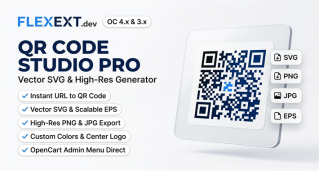
  • High-resolution dynamic QR code studio for products, coupons, URLs, and invoice order tracking.
  • Vector SVG and raster PNG export with custom pixel dimensions, error correction, and margins.
  • Automated QR code badge display on product cards and printable invoice slips.