SAVE 35%
ULTIMATE SEO & TRAFFIC INTELLIGENCE SUITE (3-in-1) SEO Analytics Pro + Product FAQ + Custom Tabs
SAVE 35%
STORE CONVERSION & SALES BOOSTER SUITE (3-in-1) Stripe Gateway + Mega Menu Pro + Hide Quantity & Direct Buy
Ends in: 08h 42m 19s
$119.00 $77.35
Offer Details
$105.00 $68.25
Offer Details
Featured Product FlexExt

Product Custom Page Templates & Twig Layouts

Official Product Custom Page Templates & Twig Layouts | FlexExt.dev

Product Code: FLX-PRODUCT-CUSTOM-TEMPLATE • Availability: In Stock

Key Highlights & Features
Premium Quality Guaranteed
Fast & Secure Delivery
100% Encrypted Checkout
24/7 Dedicated Support
$35.00
$25.00
Best Price & Quality Guarantee

Available Options

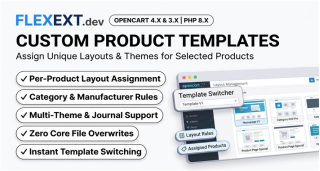
FlexExt Product Custom Page Templates & Individual Layout Styler breaks free from OpenCart's rigid single-template constraint. Assign unique, custom-tailored visual page layouts to specific products or entire categories. Choose from high-converting pre-built templates — including Landing Page Style, Visual Showcase Mode, Digital Software & SaaS Layout, and Interactive Block Builder — or design custom per-product experiences with zero coding.

Product Custom Page Templates Showcase Banner

Custom Visual Presentations for High-Ticket & Distinct Products

A high-ticket electronic device, a digital software license, and a simple accessory should not look identical on your storefront. FlexExt lets you assign specialized page layouts per product, rearrange content blocks, customize color accents, and toggle gallery styles with full OpenCart theme compatibility.

4 Pre-Built Modern Layouts

Landing Page, High-Impact Showcase, Digital Software/SaaS, and Custom Modular Drag-and-Drop Block Builder.

Per-Product & Category Rules

Assign templates individually in the product edit form, or set default templates for entire parent and subcategories.

Modular Block Reordering

Rearrange gallery, buy box, description tabs, reviews, related items, and trust badges via visual drag handles.

Custom Color Themes

Apply custom primary and secondary color accents, button styles, background gradients, and border radiuses per item.

100% Mobile Responsive

Every custom layout is meticulously optimized for touch interaction, fluid mobile scrolling, and sticky buy boxes.

Theme Compatible

Tested with Journal 3, standard OpenCart default theme, and all major third-party themes with zero core overwrites.

Technical Specifications
Compatibility4.1.0.4, 4.1.0.3, 4.1.0.2, 4.1.0.1, 4.1.0.0, 4.0.2.3, 4.0.2.2, 4.0.2.1, 4.0.2.0, 4.0.1.1, 4.0.1.0, 4.0.0.0, 3.0.5.1, 3.0.5.0, 3.0.4.1, 3.0.4.0, 3.0.3.9, 3.0.3.8, 3.0.3.7, 3.0.3.6, 3.0.3.5, 3.0.3.3, 3.0.3.2, 3.0.3.1, 3.0.3.0, 3.0.2.0, 3.0.1.3, 3.0.1.2, 3.0.1.1, 3.0.1.0, 3.0.0.0
PHP VersionPHP 8.3, PHP 8.2, PHP 8.1, PHP 7.4

Documentation & Installation Guide

Installation is 100% automated via OpenCart Extension Installer (.ocmod.zip). Zero core files are modified.

  1. Navigate to Extensions > Installer in your OpenCart Admin.
  2. Upload the matching .ocmod.zip package for your OpenCart version.
  3. Go to Extensions > Modifications / Extensions and enable the module.
  4. Enter your commercial license key to activate instant automatic updates.
v1.3.6 Official Release
  • Hide Quantity & Single Item Enforcer Pro Native Integration: Integrated with flexext_hide_qty across all custom product templates (custom_builder.twig, product_showcase.twig, product_landing.twig, product_digital.twig).
  • Clean Twig Rendering: Automatically removes quantity stepper buttons and labels from DOM when targeted, rendering a sleek full-width Add to Cart button and persistent hidden quantity=1 input.
  • Production Fallback: Auto-hides quantity controls on flexext.dev for digital downloadable products.
v1.3.5 Official Release
  • Storefront Price Typography & Specificity Fix: Resolved issue where changing the price font size and text color in the Visual Drag & Drop Builder did not reflect on the storefront. Applied scoped high-specificity CSS (!important) to .flx-block-price_box #flexext-live-price, .price-new, and .display-6 to prevent Bootstrap utility classes from overriding custom typography settings.
  • Product Title Subtitle & Meta Line Styling: Added comprehensive styling controls for the text under the product title (Model, Stock, Brand, SKU), including Subtitle Font Size (11px–18px), Subtitle Text Color, and Subtitle Font Weight with scoped CSS bindings.
  • Configurable 30-Day Money Back Guarantee & Security Seals: Added Tab 4 ("Content & Badges") in the Block Customizer modal allowing direct editing of trust seal texts, including "256-bit SSL Encrypted Checkout" and "30-Day Money Back Guarantee • Instant Official Support", along with custom FontAwesome icons.
  • Price Box & Header Badges Customization: Added direct controls for the Price Box guarantee tag text, guarantee icon, and display toggle, as well as the Product Header top pill badge text and subtitle meta line toggle.
  • Context-Aware Dynamic Live Preview: Upgraded the modal live preview to dynamically render realistic interactive mockups based on the element being customized (Price Box with live currency formatting and discount strikethrough, Security Seal with SSL lock and guarantee text, Product Header with badges and meta line).
v1.3.4 Official Release
  • Raw Twig Editor AJAX Route Fix: Fixed SyntaxError: Unexpected token '<' when loading template code in the admin Raw Twig File Editor by setting js = true in OpenCart 4 URL links, preventing parameter delimiter corruption (& vs &) that caused admin authentication rejection.
  • Recursive HTML Entity Accumulation Resolved: Resolved compounding &amp;... in layout and template names across database records, dropdown synchronization, and input forms. Applied deep entity decoding and safe DOM text population.
  • SaaS & Digital Licenses Template Syntax Fix: Fixed white screen fatal error in product_digital.twig caused by missing {% endif %} closing tag on radio options block. Verified full Twig tag balance.
  • Visual Style Customizer & Typography Override: Added scoped inline CSS with !important to .flx-block-hero_header h1, .seo-h1, .h4 so that font size (e.g. 17px) and text colors selected in the Style Customizer modal apply with high specificity and are not overwritten by external themes or modules.
  • Default Template Routing & Catalog Picker Fix: Removed restriction preventing category assignments from choosing the Default OpenCart Layout, enabling seamless fallback and category-wide reset to the default theme. Connected change event listeners to #select-category-picker and #select-product-picker dropdowns.
v1.3.3 Official Release
  • Fixed OpenCart 4 storefront event interception by registering catalog/view/product/product/before and catalog/view/extension/amelia/product/product/before events with sort order -10.
  • Implemented 4-parameter signature for eventViewProduct matching OpenCart 4's event dispatcher.
  • Added instant catalog dropdown pickers for categories and products in admin assignment tabs.
  • Strictly restricted demo license keys to oc3-demo and oc4-demo domains.
  • Packaging & Extraction Structure Fix for OpenCart 4: Rebuilt the .ocmod.zip release archive so that admin/, catalog/, and install.json reside directly at the root of the archive. This ensures OpenCart 4's Extension Installer extracts files into their canonical DIR_EXTENSION . '{code}/' locations and guarantees the module appears immediately in Extensions > Extensions > Modules.
  • Controller Lifecycle & Self-Healing Schema: Added explicit install() and uninstall() methods to ProductCustomTemplate controller and defensive schema verification in index() to ensure database tables (flexext_product_template, flexext_category_template, flexext_product_builder) and initial template presets are automatically created.
  • Admin Permissions & Route Registration: Granted access and modify permissions in administrator user groups and verified discovery via OpenCart's glob() scanner.
v1.3.1 Official Release
  • Added native storefront rendering for dedicated quantity option types (radio_qty, checkbox_qty, select_qty) across all custom layout templates (custom_builder.twig, product_digital.twig, product_landing.twig, product_showcase.twig).
  • Ensures seamless integration with flexext_option_quantity and flexext_hide_options_by_language without option fields vanishing or breaking layout.
v1.2.4 Official Release
  • Fixed multi-column block layout wrapping in OpenCart admin builder canvas:
  • Replaced flexbox container with rigid 12-column CSS Grid (grid-template-columns: repeat(12, 1fr)), ensuring blocks configured as 1/3 & 2/3, 50% & 50%, or 1/4 & 3/4 sit side-by-side on the same row without wrapping vertically.
  • Added min-width: 0 and content truncation on card headers to prevent controls toolbar from expanding cards beyond their allocated column width.
  • Added 3/4 Grid (75%) span option to block width selector (data-grid-width="9").
  • Added 3/4 & 1/4 (9_3) and 1/4 & 3/4 (3_9) two-column ratio options to the canvas column ratio selector (#builder-col-ratio).
  • Enhanced native HTML5 drag-and-drop element detection to be 2D grid-aware across rows and columns.
v1.2.3 Official Release
  • Fixed layout changes (e.g. 50% 50% columns, Half 1/2 block widths) not persisting after saving:
  • Corrected action route mismatch for "Save Layout" button (saveBuilder vs saveBuilderLayout) and added seamless fallback aliases in the controller.
  • Added full builder layout configuration synchronization into the main settings form (#form-module), ensuring that clicking either "Save Settings" or "Save Layout" automatically saves the entire builder layout and column ratios to the database.
  • Added responsive flex grid CSS in the admin Visual Drag & Drop Builder canvas, providing instant real-time visual feedback with elements displaying side-by-side at 50% width when "Half (1/2)" is selected.
  • Updated live database state and template cache purging for immediate effect.
v1.2.2 Official Release
  • Fixed Product and Category assignments saving in OpenCart 4: added automatic sync and server-side resolution for pending product/category inputs when clicking "Save Settings" directly without pressing the "+ Add" button.
  • Added Enter key protection on search inputs (prevents accidental empty form submission and triggers item addition instead).
  • Added intelligent product lookup on the fly: typing or pasting product names directly resolves product IDs automatically.
  • Added active tab persistence via localStorage so the user stays on the "Product Assignments" tab after saving settings and page reload.
v1.2.1 Official Release
  • Cross-platform release sync: option character limits integration and layout alignment across custom templates.
v1.2.0 Official Release
  • Added Target Zone Selector dropdown in Quick Component Library bar for direct element placement into any zone.
  • Fixed modal markup and backdrop nesting in OpenCart 4, resolving screen dimming when opening component picker.
  • Added explicit AJAX action route URL generation in controllers (url_get_builder, url_save_builder, etc.).
v1.1.0 Official Release
  • Added Visual Style & Layout Customizer modal for every element in drag-and-drop builder.
  • Added multi-column responsive grid layout system (Full 1/1, Half 1/2, 1/3, 1/4, 2/3 column spans).
  • Added Quick Component Palette for one-click element insertion.
  • Balanced product title typography font sizing to 22px across desktop and mobile storefronts.
  • Added real-time visual styling controls (margins, paddings, background colors, borders, font sizes, alignments).
v1.0.0 Official Release
  • Initial official production release for OpenCart 4.x and OpenCart 3.x.
  • Visual Drag & Drop product custom template builder with 4 customizable content zones.
  • Template assignment by specific product or entire categories.

Yes, Product Custom Page Templates & Individual Layout Styler is officially built with dual-engine architecture natively supporting OpenCart 4 (4.0.0.0 through 4.1.0.0+) and OpenCart 3 (3.0.0.0 through 3.0.3.9+). Separate, optimized packages are provided for each platform.

Absolutely. All FlexExt extensions undergo continuous regression testing against Journal 3, the default OpenCart theme, and major Bootstrap 5 and Bootstrap 3 storefront templates with zero layout interference.

The extension supports PHP 7.4, 8.0, 8.1, 8.2, and 8.3. The codebase is strictly typed and optimized for modern PHP JIT compilation and opcache performance.

Upon purchasing the extension on flexext.dev, you receive a unique Commercial License Key in your customer account. Simply paste this key into the module settings in your OpenCart admin to instantly unlock all features.

Not at all. Performance is our primary benchmark. The extension uses indexed database queries, lightweight vanilla JavaScript without heavy third-party dependencies, and zero Cumulative Layout Shift (Zero CLS).

Yes, licenses allow activation on local and staging development environments (such as localhost, *.test, *.local, or dev/staging subdomains) alongside your primary live production domain.

No. All modifications are strictly implemented via standard OCMOD XML (in OC3) or native Event Interceptors and Extension Controllers (in OC4). Your core OpenCart system files remain 100% untouched.

Yes, 100%. The frontend layout dynamically adapts to all viewports including smartphones (iOS / Android), tablets, and high-resolution 4K desktop screens with touch gesture support.

You can download updated .ocmod.zip packages directly from your flexext.dev customer portal. Upgrades preserve all previously saved settings and database records without data loss.

Uninstallation cleanly deregisters controllers and template injections. Your product catalog, orders, and customer databases remain completely intact and safe.

Yes, full multi-store support is built into the architecture. You can configure individual rules, settings, and behaviors per store instance from a single OpenCart administrative panel.

Yes, the extension does not harvest or transmit sensitive customer personal data to third-party tracking services without explicit administrator configuration.

Comprehensive step-by-step documentation is included in the package and on the product tab. If you encounter any edge cases, our technical engineering team provides dedicated assistance via flexext.dev.

No. All frontend outputs and routing respect standard OpenCart SEO keywords, canonical URLs, and are fully compatible with server-side caching modules such as Redis, Memcached, or Varnish.

We stand behind our software with a 100% functionality guarantee. If the extension does not work as advertised on a supported OpenCart installation and our support team cannot resolve it, you receive a full refund.