













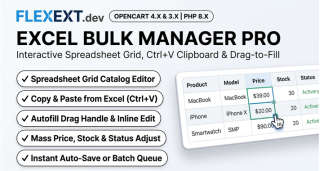






Featured Extension: Explore the official Excel-Like Bulk Manager Pro module, fully tested for OpenCart 4.x and 3.x.
Managing an e-commerce catalog with hundreds or thousands of products in default OpenCart is notorious for being painful and time-consuming. To update a price, change stock levels, or refine meta tags, store managers must click "Edit" on each item, wait for multiple tabs to load, make a minor edit, hit save, and return to the list. Discover how an Excel-like inline spreadsheet editor eliminates 90% of manual catalog administration time.
1. The Cost of Default OpenCart Catalog Editing
A merchant adjusting prices for 100 seasonal items in default OpenCart spends an average of 45 to 60 seconds per item across form loading, navigation, and saving. That translates to over 1.5 hours of tedious, error-prone manual labor for a routine pricing task.
Furthermore, CSV or XML export/import extensions carry massive risks: column mismatch errors, duplicate category tree generation, broken special price dates, and database timeouts during large file uploads.
2. Tailoring Bulk Management to Different Store Types
Fashion & Apparel
Rapidly adjust inventory across multiple color and size variations, toggle "Out of Stock" statuses instantly, and batch-apply seasonal discounts.
Electronics & Hardware
Update fluctuating supplier costs, adjust profit margins by fixed percentages, and batch edit manufacturer model codes in seconds.
Drop-shipping Stores
Quickly align local prices with supplier feeds, update estimated delivery tags, and mass-enable SEO keywords without database corruption.
3. Feature Comparison: Default Catalog vs Excel-Like Bulk Manager Pro
| Workflow Task | Default OpenCart Admin | FlexExt Excel-Like Bulk Manager Pro |
|---|---|---|
| Price Updates | Click Edit > Data Tab > Enter Price > Save (100 clicks) | Inline cell edit + Auto-save in under 1 second |
| Stock & Quantity Adjustments | Page reload per item | Keyboard navigation (Arrow keys + Tab + Enter) |
| Percentage Margin Adjustments | Manual calculator per item | Batch formula: e.g. "+15%" across selected items |
| SEO Title & Meta Editing | Nested language tabs per product | Side-by-side multilingual columns with live character counts |
| Safety & History | No undo feature | Real-time AJAX validation with instant undo capability |
4. Best Practices for Rapid Catalog Administration
- Leverage Keyboard Shortcuts: Use
Tabto jump horizontally between price, quantity, and model cells, andEnterto save instantly without touching the mouse. - Filter Before Editing: Utilize powerful multi-column filters (by category, manufacturer, price range, or stock status) to isolate only the items needing revision.
- Automate Formula Calculations: Use bulk adjustment tools to increase or decrease entire categories by a set percentage (e.g. Black Friday 20% discount).
Related Technical Guides & OpenCart Architecture



Frequently Asked Questions & Technical Insights

Excel-Like Bulk Manager Pro
High-performance OpenCart 4 and 3 extension. Lifetime updates & priority technical support.
- Excel-style spreadsheet interface with inline cell editing and auto-save
- Bulk mathematical formulas (e.g. increase prices by 10% across categories)
- Instant batch stock level, SKU, and status updates across thousands of products
- High-performance virtualization handling 50,000+ items with zero browser lag