
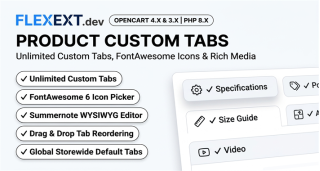






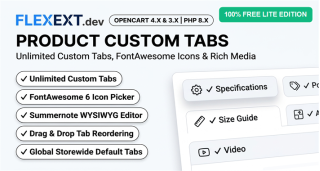
Featured Extension: Explore the official Product Custom Tabs & Global Layouts module, fully tested for OpenCart 4.x and 3.x.
E-commerce shoppers do not read long walls of unformatted text—they scan. In default OpenCart, product pages are restricted to standard "Description" and "Reviews" tabs. When merchants need to display technical specifications, size charts, compatibility matrices, or downloadable PDF manuals, cramming everything into one box creates visual chaos. Discover how FlexExt Product Custom Tabs builds professional information architecture.
1. The Psychological Impact of Tabbed Product Layouts
Categorizing complex product information into dedicated tabs (e.g. "Features", "Installation", "Changelog", "Warranty") delivers distinct conversion benefits:
- Reduced Cognitive Load: Shoppers locate the exact piece of information they need in seconds without endless page scrolling.
- Mobile Screen Optimization: On smartphones, tabs collapse cleanly into expandable accordions, preserving viewport space for the primary "Add to Cart" button.
- SEO Indexability: Search engine bots index all tab contents smoothly while maintaining a tidy visual layout for human shoppers.
2. Global, Category & Individual Tab Architecture
Global Storewide Tabs
Create standard tabs like "Shipping Policies" or "Quality Guarantee" once, and they instantly appear across every product in your store.
Category-Specific Tabs
Assign category tabs (e.g. "Shoe Size Guide" or "Nutritional Facts") automatically to all products under a selected parent category.
Product-Specific Tabs
Add unique technical tables, video tutorials, or release changelogs to individual flagship products with ease.
3. Comparison: Default Product Tabs vs FlexExt Product Custom Tabs
| Capability | Default OpenCart | FlexExt Product Custom Tabs Pro |
|---|---|---|
| Number of Tabs | Only Description & Reviews | Unlimited custom tabs |
| Global Propagation | Manual copy-paste on every item | 1-Click assignment globally or by category |
| Sort Order Control | Hardcoded template sequence | Drag & drop tab ordering in admin |
| Multilingual Content | Single text block | Separate titles and content per installed language |
4. Best Practices for Product Content Structuring
- Keep the Primary Description Concise: Use the default description tab for product highlights, emotional hooks, and key benefits. Move technical data to dedicated tabs.
- Embed Rich Media in Tabs: Embed YouTube video walkthroughs, high-resolution diagrams, or PDF spec sheets inside secondary tabs.
- Maintain Consistent Tab Names: Use short, predictable tab titles (e.g. "Specs", "FAQ", "Shipping") to aid quick scanning.
Related Technical Guides & OpenCart Architecture

Frequently Asked Questions & Technical Insights

Product Custom Tabs & Global Layouts
High-performance OpenCart 4 and 3 extension. Lifetime updates & priority technical support.
- Official Product Custom Tabs & Global Layouts extension for OpenCart 4 & 3
- 100% event-driven architecture with zero core file modifications
- Full commercial license with instant digital delivery and updates
- Extensively tested across all major PHP 8.x versions and modern themes